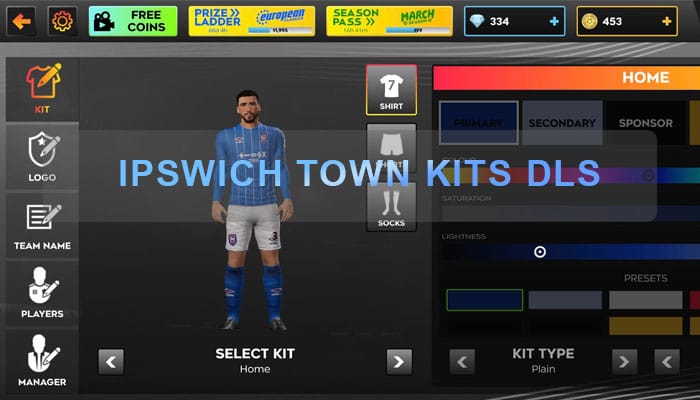
For devoted Ipswich Town supporters and avid Dream League Soccer (DLS) players alike, the ability to outfit your virtual squad in the iconic blue and white (or perhaps another memorable strip) is a source of immense pride. In the dynamic world of DLS, where building your dream team and leading them to glory is the ultimate goal, the visual representation of your club plays a crucial role in fostering that sense of belonging and identity. This article delves into the enduring popularity of Ipswich Town Kits DLS, exploring why these digital representations resonate so strongly with fans and why they remain a sought-after customization option within the game.
The Enduring Appeal of the Tractor Boys
Ipswich Town Football Club boasts a rich and storied history, filled with moments of triumph and a passionate fanbase that spans generations. From the legendary era under Sir Bobby Robson, which saw the club conquer Europe, to more recent promotion pushes and the unwavering support through thick and thin, the Tractor Boys hold a special place in the hearts of football enthusiasts. This deep-rooted history and loyal following naturally translate into a strong desire to represent the club in every facet of their lives, including the virtual realm of Dream League Soccer.
The current 2025 season sees a determined Ipswich Town squad, featuring a blend of experienced campaigners and exciting new talents, all striving to achieve success on the pitch. Players like the ever-reliable goalkeeper Vaclav Hladky, commanding defenders such as Harry Clarke and Luke Woolfenden, dynamic midfielders like captain Sam Morsy and the creative Omari Hutchinson, and potent forwards including Nathan Broadhead and Conor Chaplin, all contribute to the team’s identity and the fans’ connection to the club. Seeing these players don the famous Ipswich colours week after week only amplifies the desire for DLS players to replicate that look within the game.
How to import Ipswich Town Kit in DLS 26
Step 1: Click the Copy URL button for the corresponding Kits located below
Step 2: Open Dream League Soccer 26
Step 3: Select My Club.
Step 4: Select Customise.
Step 5: Click Custome Kit.
Step 6: Paste the Kit URL copied in Step 1.
Step 7: Click Confirm.
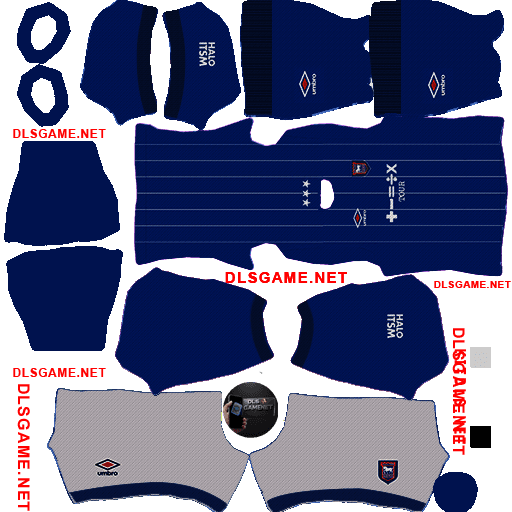
Home Kit
https://dlsgame.net/wp-content/uploads/2025/03/Ipswich-Town-Home-Kit-25-DLS-25.png
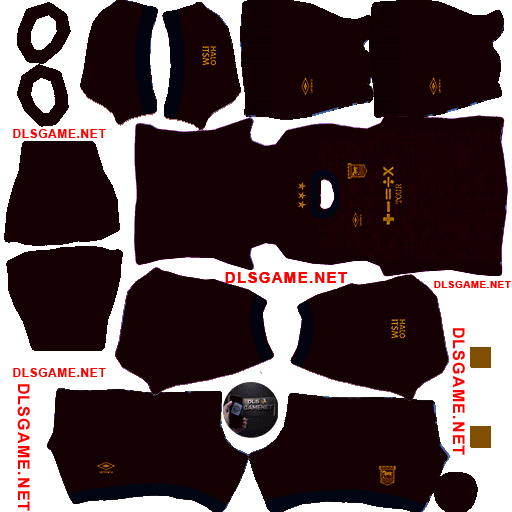
Away Kit
https://dlsgame.net/wp-content/uploads/2025/03/Ipswich-Town-Away-Kit-25-DLS-25.png
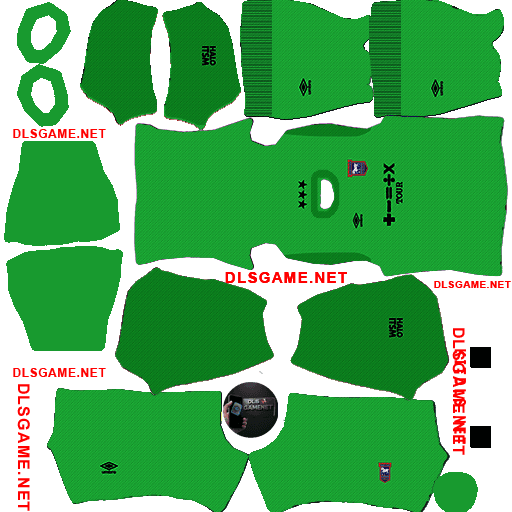
GK Kit
https://dlsgame.net/wp-content/uploads/2025/03/Ipswich-Town-GK-Kit-25-DLS-25.png
Logo Ipswich Town DLS 512 x 512
https://dlsgame.net/wp-content/uploads/2025/03/Logo-Ipswich-Town-512-x-512.png