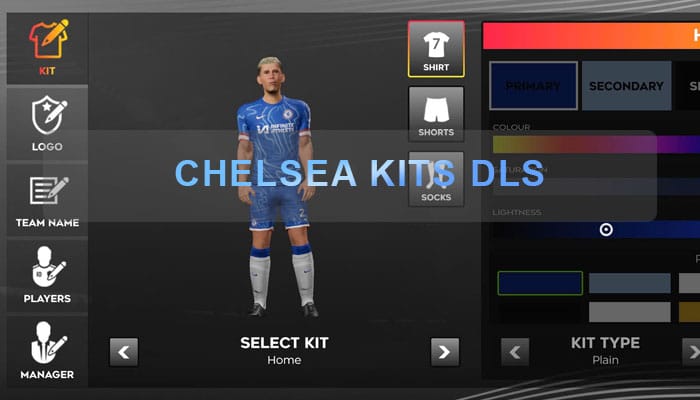
For legions of Chelsea Football Club supporters worldwide, the passion extends beyond the roar of Stamford Bridge and the thrill of Premier League victories. It permeates into the virtual realm, where fans eagerly seek to replicate their beloved team’s identity in popular mobile games like Dream League Soccer (DLS). The ability to customize your DLS squad with authentic Chelsea kits is a cornerstone of this immersive experience, allowing you to lead your virtual Blues to glory in style.
This comprehensive guide delves into the world of Chelsea kits within DLS, exploring their significance, the design of the current season’s strips, and why having the correct attire for your digital Chelsea squad is essential for any true Blue. While we won’t be providing installation instructions or external links to obtain these kits, we will focus on the importance and appeal of showcasing your Chelsea pride in the virtual footballing arena.
Why Chelsea Kits Reign Supreme in DLS
The allure of Chelsea kits in DLS is multifaceted. Firstly, it’s about authenticity. Fans crave the genuine look and feel of their favorite team, and having the accurate home, away, and potentially third kits in the game significantly enhances the realism. It allows players to truly embody the spirit of Chelsea as they navigate the virtual footballing landscape.
Secondly, it’s about identity and belonging. Sporting the iconic blue of Chelsea, whether it’s the classic home shirt or a stylish away design, instantly identifies you as a member of the global Chelsea fanbase within the DLS community. It’s a visual representation of your allegiance and a way to connect with other Blues around the world.
Finally, it’s about personalization and pride. DLS offers a level of customization that empowers players to create their dream teams. Equipping your squad with the latest Chelsea kits is a fundamental step in achieving this, allowing you to showcase your unwavering support for the club.
How to import Chelsea Kit in DLS 26
Step 1: Click the Copy URL button for the corresponding Kits located below
Step 2: Open Dream League Soccer 26
Step 3: Select My Club.
Step 4: Select Customise.
Step 5: Click Custome Kit.
Step 6: Paste the Kit URL copied in Step 1.
Step 7: Click Confirm.
Home Kit
https://dlsgame.net/wp-content/uploads/2025/03/Chelsea-Home-Kit-25-DLS-25.png

Away Kit
https://dlsgame.net/wp-content/uploads/2025/03/Chelsea-Away-Kit-25-DLS-25.png

Third Kit
https://dlsgame.net/wp-content/uploads/2025/03/Chelsea-Third-Kit-25-DLS-25.png

GK Kit
https://dlsgame.net/wp-content/uploads/2025/03/Chelsea-GK-Kit-25-DLS-25.png

Logo Chelsea DLS 512 x 512
https://dlsgame.net/wp-content/uploads/2025/03/dls-512x512-logo-chelsea.png