For the passionate Evertonian, the thrill of seeing the Toffees stride onto the pitch in their iconic blue is a feeling unlike any other. This deep-rooted connection to the club extends beyond the stadium and into the virtual realm, particularly within popular mobile games like Dream League Soccer (DLS). For these dedicated supporters, having the authentic Everton Kits DLS for their in-game squad is more than just customization – it’s a statement of unwavering loyalty.
Dream League Soccer has carved a niche for itself by offering a realistic and engaging mobile football experience. A key element of this immersion is the ability to personalize your team, and for Everton fans, this starts with donning the correct colors. The desire to see their virtual players sporting the exact same jerseys as their heroes on the Goodison Park turf is a strong one, making “Everton Kits DLS” a consistently popular search term among the gaming community.

The Immersive Power of Authentic Kits in DLS
Imagine building your dream Everton squad in DLS, featuring the likes of the dynamic forward Dominic Calvert-Lewin leading the line, the ever-reliable Jordan Pickford guarding the net, and the midfield maestro Amadou Onana controlling the tempo. Now, picture them all running out in generic, unbranded kits. The immersion is instantly broken.
This is where the significance of authentic Everton Kits DLS comes into play. By equipping your virtual team with the official home, away, and potentially even third kits of the 2025 season, you bridge the gap between the digital game and the real-world passion of supporting Everton Football Club. It adds a layer of authenticity that enhances the overall gaming experience, making each virtual victory feel even more meaningful.
How to import Everton Kit in DLS 26
Step 1: Click the Copy URL button for the corresponding Kits located below
Step 2: Open Dream League Soccer 26
Step 3: Select My Club.
Step 4: Select Customise.
Step 5: Click Custome Kit.
Step 6: Paste the Kit URL copied in Step 1.
Step 7: Click Confirm.
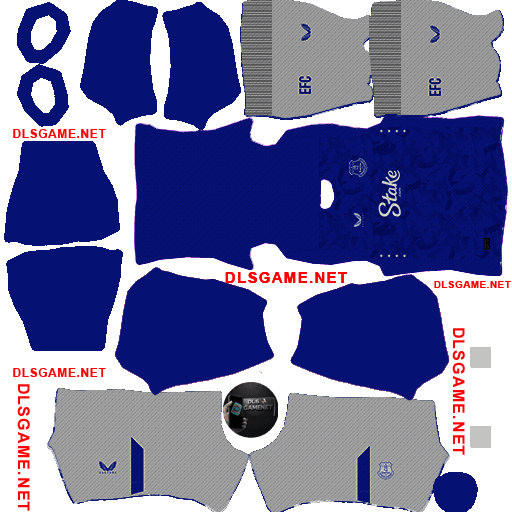
Home Kit
https://dlsgame.net/wp-content/uploads/2025/03/Everton-Home-Kit-1-25-DLS-25.png
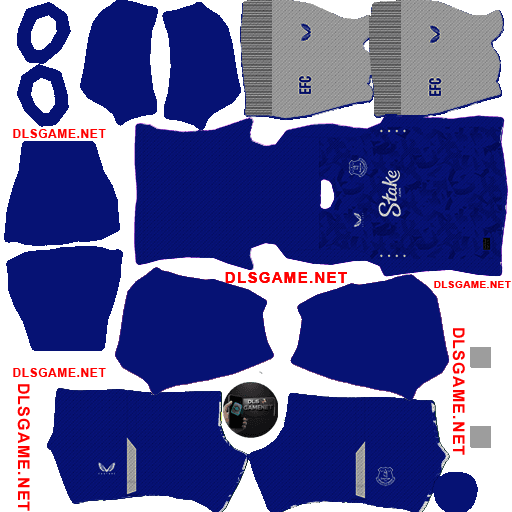
https://dlsgame.net/wp-content/uploads/2025/03/Everton-Home-Kit-2-25-DLS-25.png
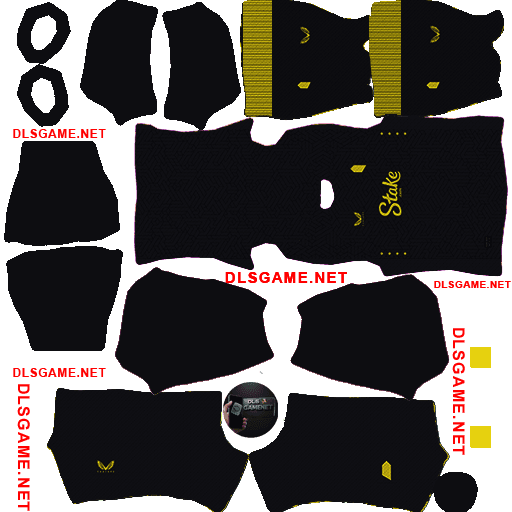
Away Kit
https://dlsgame.net/wp-content/uploads/2025/03/Everton-Away-Kit-25-DLS-25.png
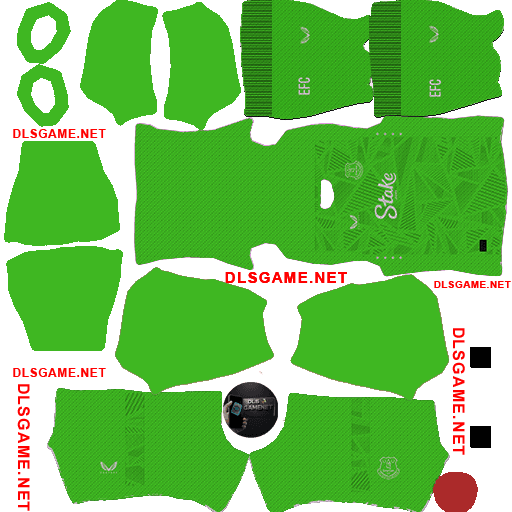
GK Kit
https://dlsgame.net/wp-content/uploads/2025/03/Everton-GK-Home-Kit-25-DLS-25.png
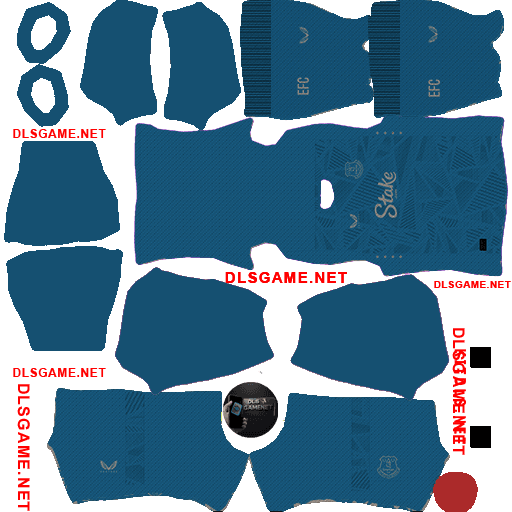
https://dlsgame.net/wp-content/uploads/2025/03/Everton-GK-Away-Kit-25-DLS-25.png
Logo Everton DLS 512 x 512
https://dlsgame.net/wp-content/uploads/2025/03/Logo-Everton-DLS.png